Planning
What is a visual planner? (And who it's for)
6 min read · Updated

KEY TAKEAWAYS
- A visual planner shows tasks, notes, photos and plans as cards on one board, so you see everything at once.
- Unlike a list, it shows what belongs together and what is big or small.
- It suits people who think in pictures, plan with post-its or screenshots, and mix work, family and their own plans.
- Start with five cards: today, this week, one project or goal, a note and a photo.
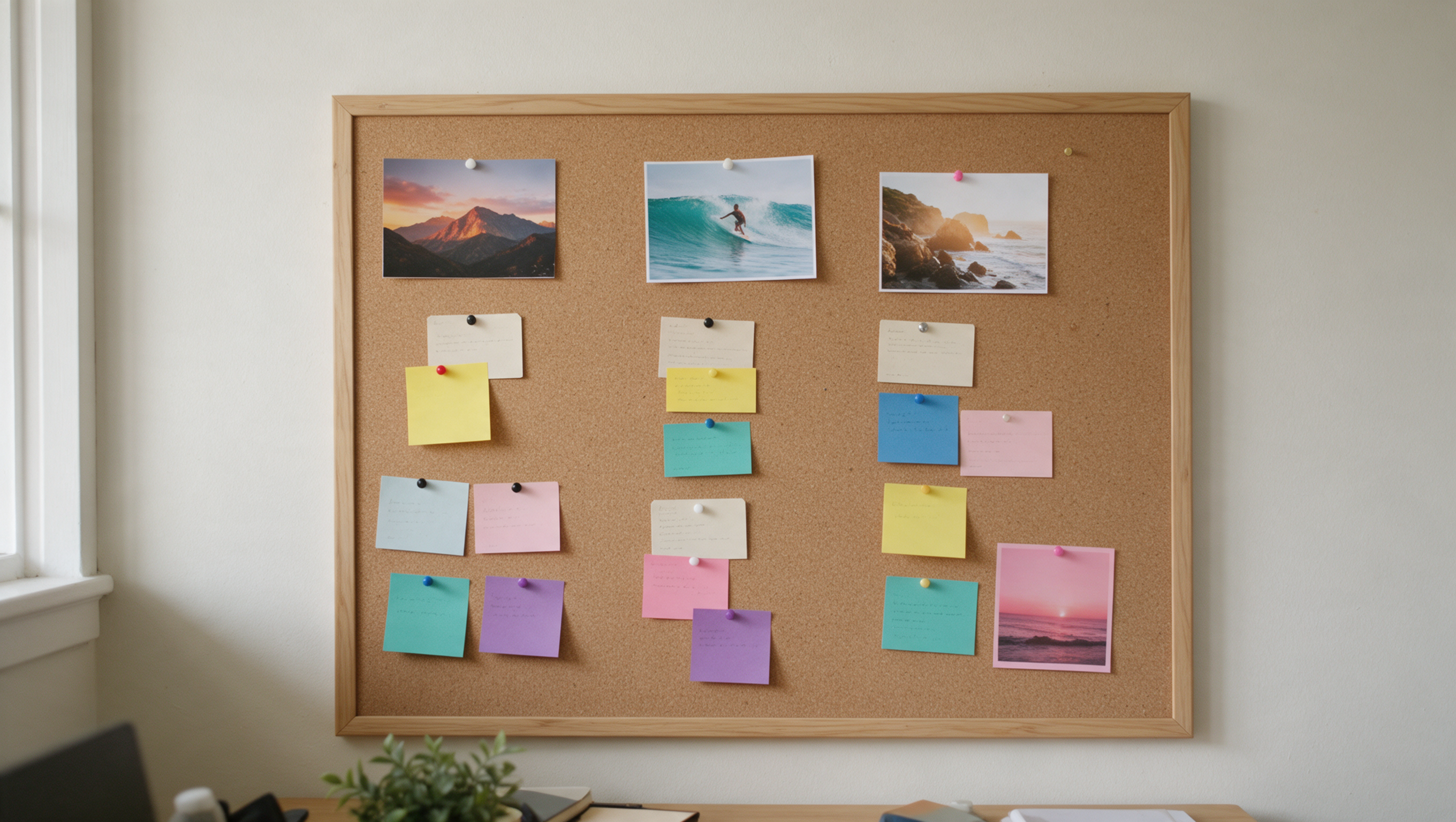
A visual planner is a planning tool that shows your tasks, notes, photos and plans as cards on one board, side by side, so you can see everything at once instead of scrolling through lists.
That's the short answer. Here's what it means in practice, and who it's for.
See everything. Feel in control.
How is a visual planner different from a to-do list?
A to-do list is a line of text. A visual planner is a picture of your life.
- A list shows one line at a time, all the same size, in one long column.
- A visual planner shows cards next to each other: today, this week, a project, a goal, a photo. You see what belongs together and what's big or small.
Lists are fine for groceries. For your whole life, they hide too much. Here's how to stay focused when everything feels urgent.
What goes on a visual planner?
Anything you'd otherwise keep in your head, a notebook or five different apps:
- Today: your three most important things
- The week: appointments and plans per day
- Projects: next steps and who you're waiting on
- Goals: with a picture, a date and milestones
- Notes and ideas: written down, so they stop circling
- Photos: the place, the recipe, the dream
Everything in sight. On one board.
Tasks, notes, photos and plans as cards on one calm board. No charge today. Cancel anytime.
Start 7 days freeOr see all templates →Who is a visual planner for?
For people who think in pictures, and gave up on list tools because they lost the overview.
You'll probably recognise yourself if you:
- Have post-its on the wall, the fridge or the laptop
- Keep plans in screenshots and saved photos
- Start a new notebook every few months
- Need to see the whole week to feel calm
- Have work, family and your own plans all mixed together
It also works well for families, freelancers, people planning a wedding or a move, and anyone with goals they keep losing track of.
You don't need a label. Almost everyone remembers pictures better than lines of text. Here's why seeing beats remembering.
Isn't that just a whiteboard?
A whiteboard is a great start, but it stays on the wall. A digital visual planner keeps the same overview and adds what a wall can't:
- It's on your phone, tablet and laptop, also offline
- Cards can have dates and reminders
- You can show one project at a time without taking anything down
- You can share one part with a partner, a client or a friend
How do I start with a visual planner?
Start small. Five cards are enough for the first day:
- Today: three things
- This week: the fixed appointments
- One project or goal you care about
- A note with what's on your mind
- A photo of something you're working towards
Then add cards as life brings them. The board grows with you.
What is PAPEPPE?
PAPEPPE is a visual planner built on this idea: tasks, notes, photos and plans as cards on one board, on all your devices, even without internet. Try it 7 days free.
The full board
Is a visual planner for you? A quick check
Screenshot this:
- Do lists make you lose the big picture?
- Do you plan with post-its, photos or screenshots?
- Do work and home live in different places?
- Do you need to see the week to feel calm?
Two or more yeses? A visual planner will probably feel like how your head already works.
Start with five cards today. See if tomorrow feels clearer.
Questions
What is a visual planner?
A planning tool that shows your tasks, notes, photos and plans as cards on one board, side by side, so you see everything at once instead of scrolling through lists.
Who is a visual planner for?
People who think in pictures and lose the overview in lists: those who use post-its, screenshots or many notebooks, families, freelancers and anyone planning a big event or goal.
How is a visual planner different from a to-do list?
A list shows one line at a time; a visual planner shows cards next to each other so you can see what belongs together and what matters most.
Is a visual planner the same as a whiteboard?
It keeps the same overview, but works on your phone and laptop, holds dates, reminders and photos, and lets you show or share one project at a time.
How do I start with a visual planner?
Start with five cards: today, this week, one project or goal, a note and a photo, and add cards as you go.
Try it on your own board.
No charge today. Cancel anytime.
Start 7 days free